This article shows how to cancel your MiScore app subscription
Visual Guide:
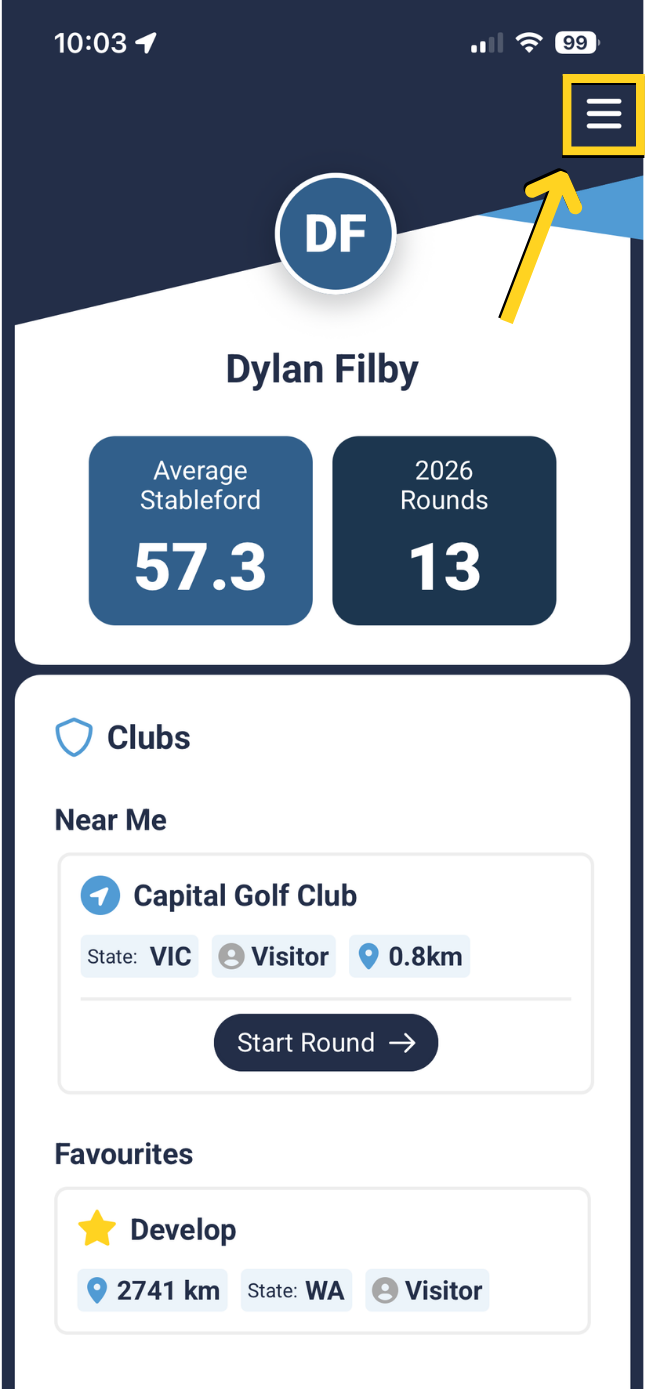
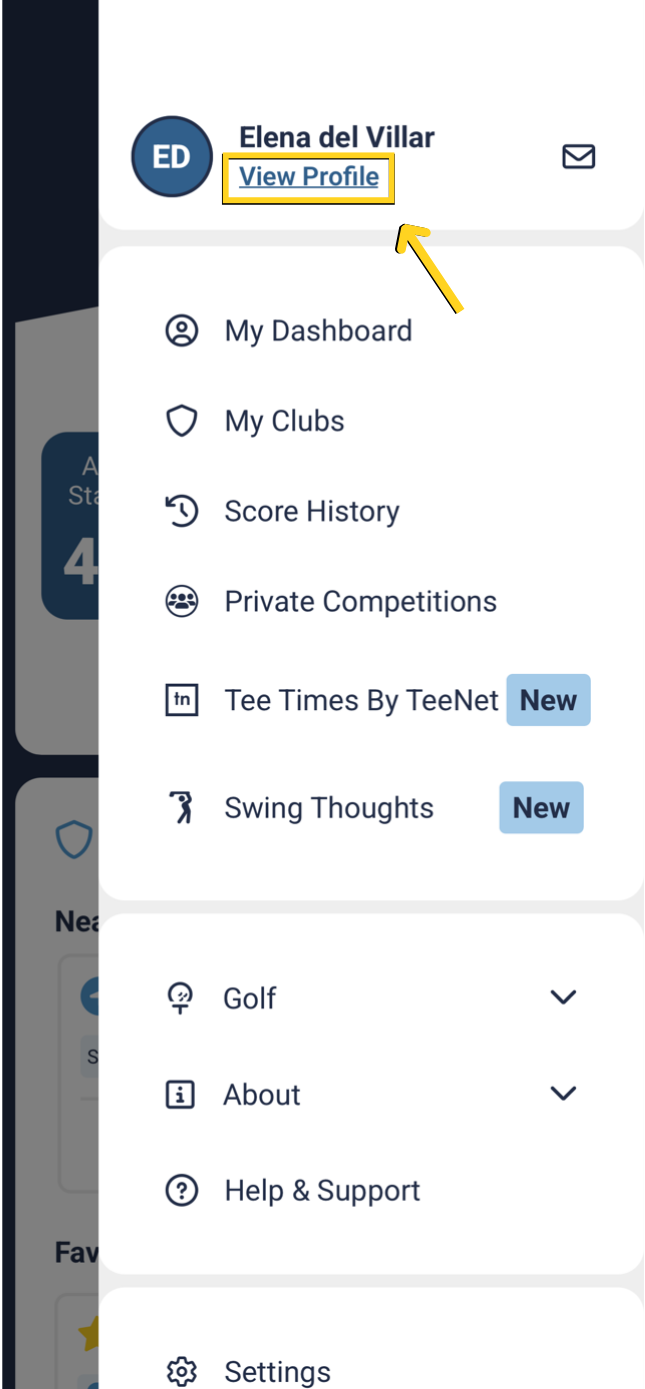
Select 'Menu' on the top right corner.
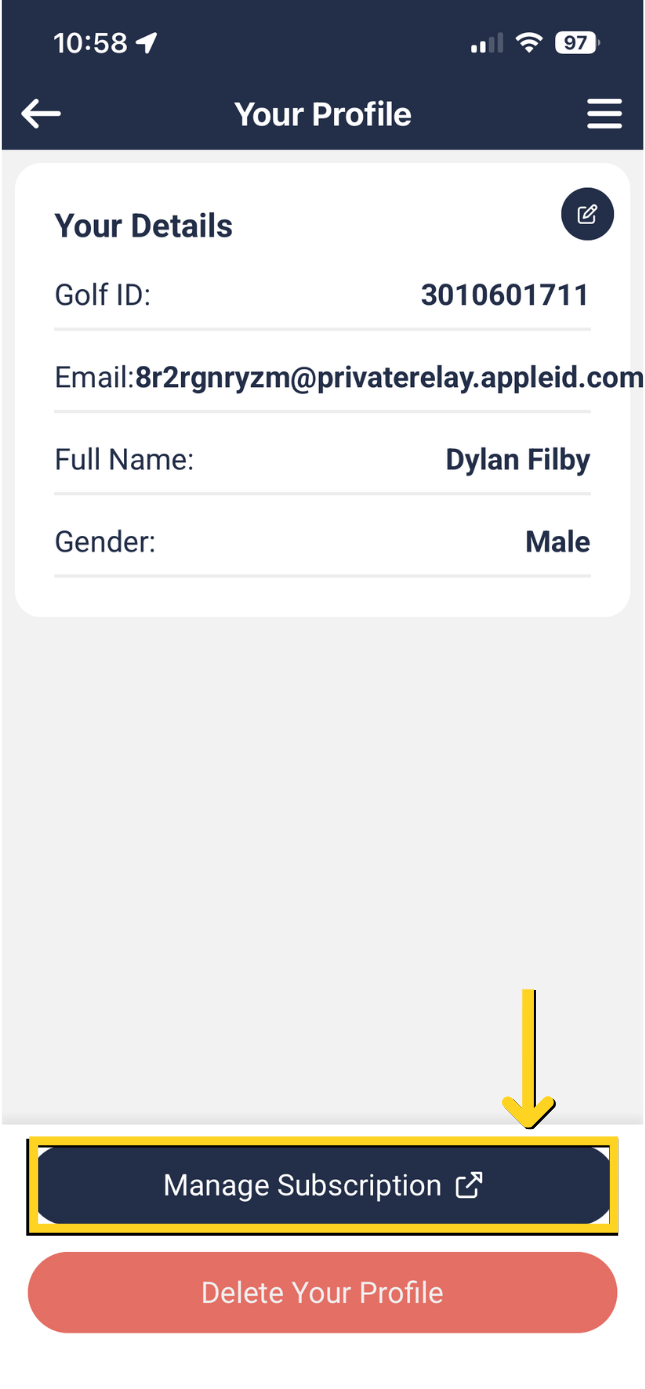
Select 'Manage Subscription'.
 |  |
Select 'Cancel Subscription'
 | 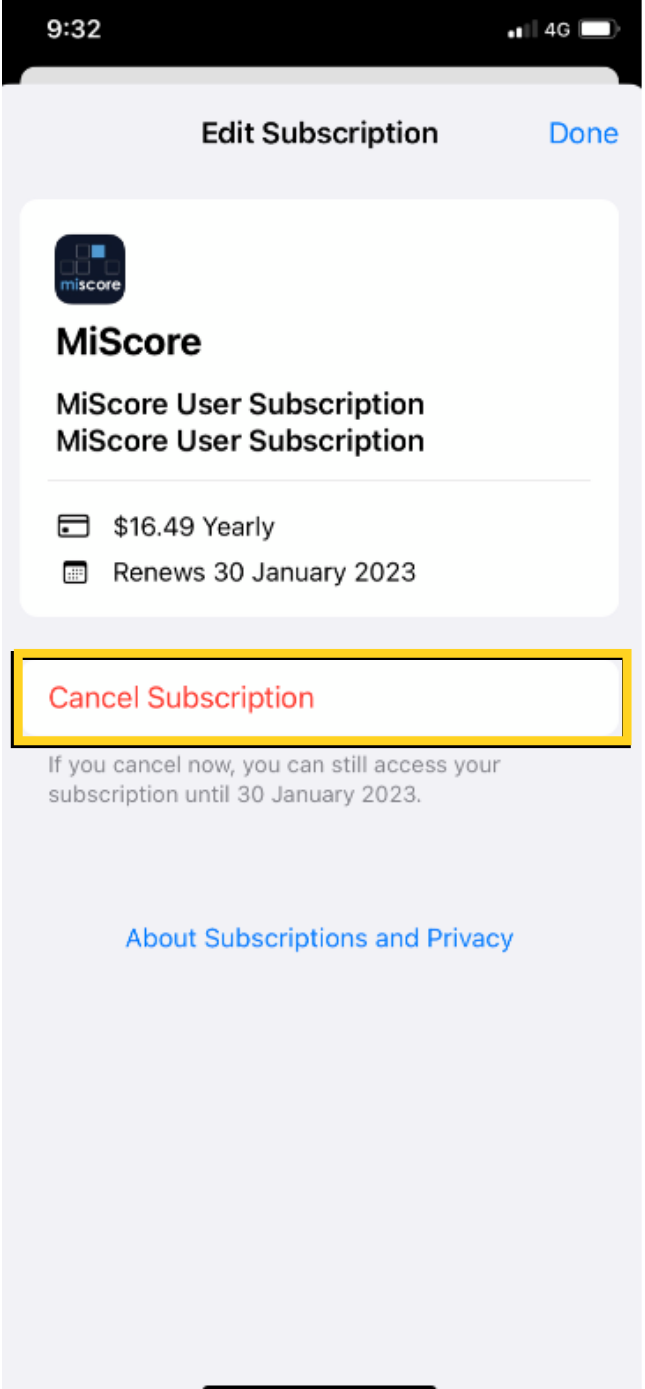 |
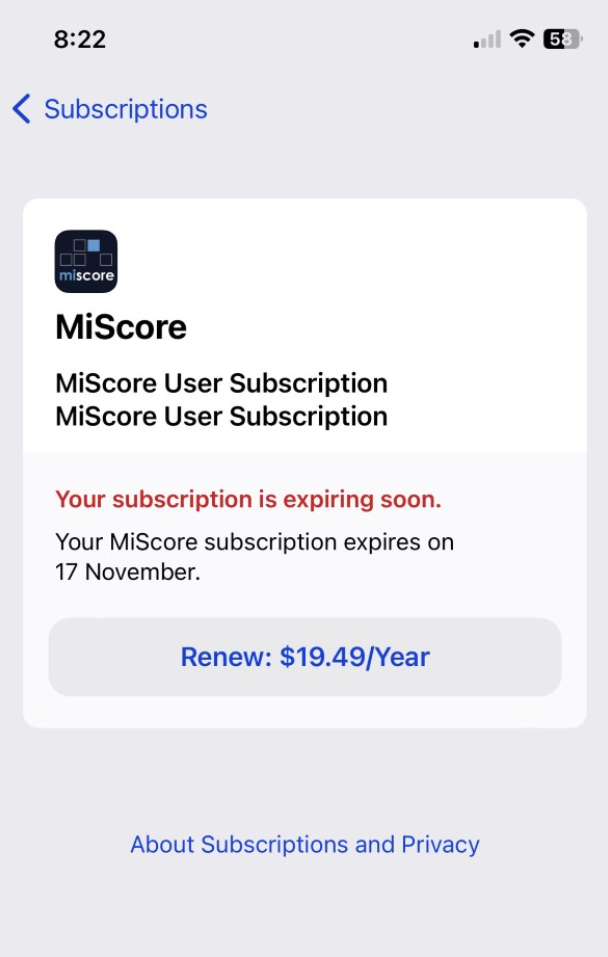
You will then be taken to your App store where you need to select 'Cancel' within your device.
- Please note when you subscribe to the MiScore App there is a 2 week free trial before you get charged. If you cancel before the 2 week trial ends you will not be charged. If you cancel after the 2 weeks ends you will be charged.
- If you then cancel after the 2 weeks ends you can still use the MiScore App up until the subscription ends.
For frequently asked questions about cancellations and refunds, click here: https://miscorehelp.miclub.com.au/support/solutions/articles/14000124044-cancellation-of-subscriptions
Was this article helpful?
That’s Great!
Thank you for your feedback
Sorry! We couldn't be helpful
Thank you for your feedback
Feedback sent
We appreciate your effort and will try to fix the article